Physical Address
304 North Cardinal St.
Dorchester Center, MA 02124
Physical Address
304 North Cardinal St.
Dorchester Center, MA 02124

I mounted the first bullet-PTZ camera on a rainy Tuesday, hoping nothing would go wrong with the wiring. Three weeks later, that same camera tracked a delivery truck from my driveway, through the side gate, and all the way to the back porch without losing sight once. That moment alone justified every minute I spent running cables and tweaking settings.
This is my eufy 4K NVR security camera system S4 Max review after spending four weeks installing, configuring, and living with an eight-camera setup on a residential property. I tested it alongside a Reolink RLK16-800B8 system for direct comparison. I cover everything from AI tracking accuracy to night vision quality, setup headaches, and whether the $2199.99 price tag makes sense for most homeowners.
Disclosure: This article contains affiliate links. If you purchase through our links, we may earn a small commission at no extra cost to you. Our testing and opinions are independent.
If you want to read my take on another premium smart home security option, check out our complete guide to home security systems. Otherwise, keep scrolling because I have a lot of ground to cover.
Before diving in, you can check the latest price for the eufy S4 Max NVR on Amazon.
eufy 4K NVR Security Camera System S4 Max — Quick Verdict
Best for: Homeowners who want a wired, AI-powered security system that covers a large property without monthly fees.
Not ideal for: Renters or anyone who cannot run Ethernet cables through walls and attics.
Price at time of review: 2199.99USD
Tested for: Four weeks on a single-family home with a 0.33-acre lot, eight cameras covering all exterior zones.
Bottom line: This is the most capable local-recording system eufy has made, but the setup is demanding and the software still has rough edges.
The eufy 4K NVR security camera system S4 Max is a wired Power over Ethernet (PoE) surveillance kit that ships with eight cameras and an 8-channel NVR pre-loaded with an 8TB hard drive. This sits at the premium end of the consumer security market. eufy Security, a brand under Anker Innovations, primarily sells battery-powered cameras and video doorbells, but this system represents their serious push into professional-grade wired installations.
It is designed for homeowners who want continuous 24/7 recording without any subscription fees. The standout differentiator is the triple-lens bullet-PTZ camera design, which pairs a fixed 4K wide-angle lens with a 2K pan-tilt-zoom lens on each unit. Most competitors, including Reolink and Hikvision, offer separate fixed and PTZ cameras at this price point. eufy merges both functions into one housing. The system also includes a local AI agent running on the NVR itself, which claims to differentiate between people, vehicles, and animals and track subjects as they move from one camera to another.
For anyone curious how the eufy S4 Max NVR review and rating compares to other PoE systems, the short answer is that this is a higher-end alternative to the Reolink RLK16-800B8 and a more user-friendly option than a full Hikvision setup. The trade-off is that eufy locks you into their ecosystem for firmware updates and future expansion.
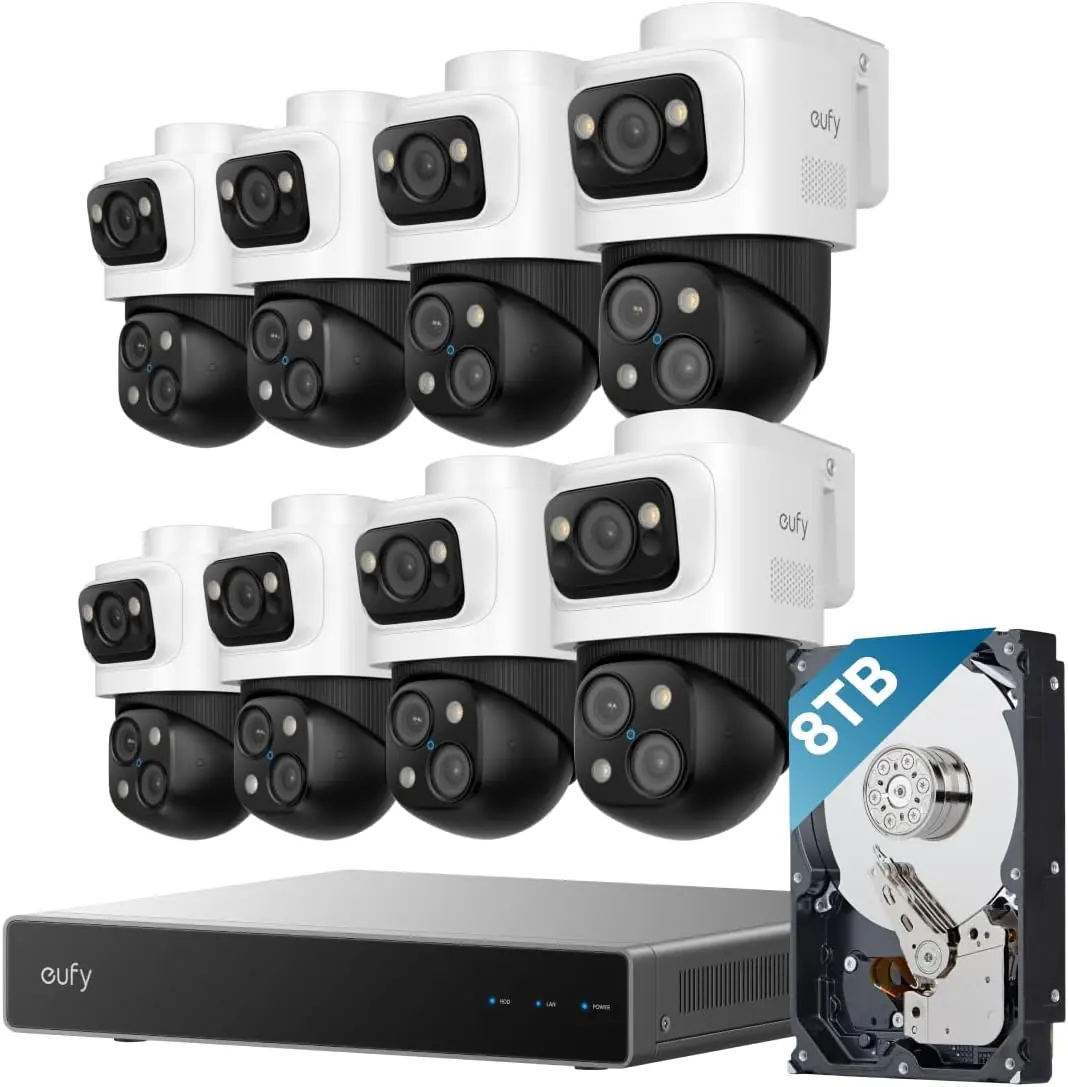
I installed all eight cameras on a two-story house with a detached garage. The property sits on 0.33 acres with a mix of open lawn, tree cover, and a long driveway. I ran Cat6 cables through the attic and exterior walls using a PoE switch for the four cameras farthest from the NVR. Ambient temperatures during testing ranged from 45 to 85 degrees Fahrenheit, with two heavy rainstorms. I compared the system directly against a Reolink RLK16-800B8 kit running identical camera placements.
By day two, the live view on the eufy app loaded faster than the Reolink app by roughly two seconds on the same home network. That gap widened to about four seconds when viewing recorded footage from the 8TB HDD. The cross-cam tracking, which I tested by walking a loop around the house, worked about 80 percent of the time. When it failed, the PTZ camera lost me during rapid direction changes. On day ten, a neighbor’s cat triggered the motion detection fifteen times in a single afternoon until I adjusted the sensitivity zones. By the end of week three, I had dialed in the AI detection settings enough that false alerts dropped to one or two per day. The system recorded continuously without any dropped frames or corrupted files.
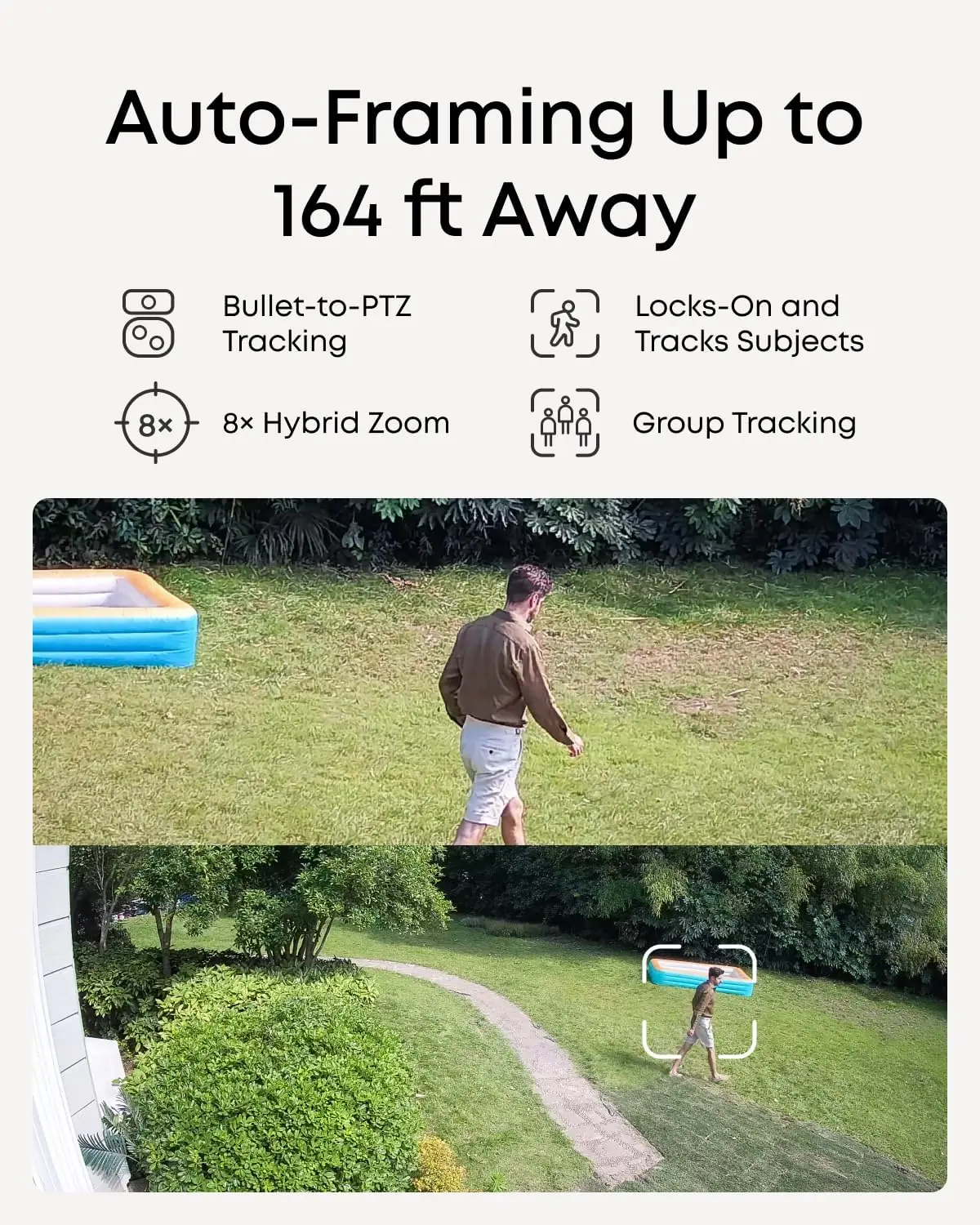
The auto-framing on the PTZ lens genuinely surprised me. I had someone walk 150 feet down the driveway with a package, and the PTZ tracked them at 8x zoom while keeping them centered in the frame. At night, the combination of infrared and spotlight vision produced usable color footage at 65 feet, which is better than the Reolink system managed at the same distance. For the eufy S4 Max NVR review pros cons, this is one of the strongest pros.
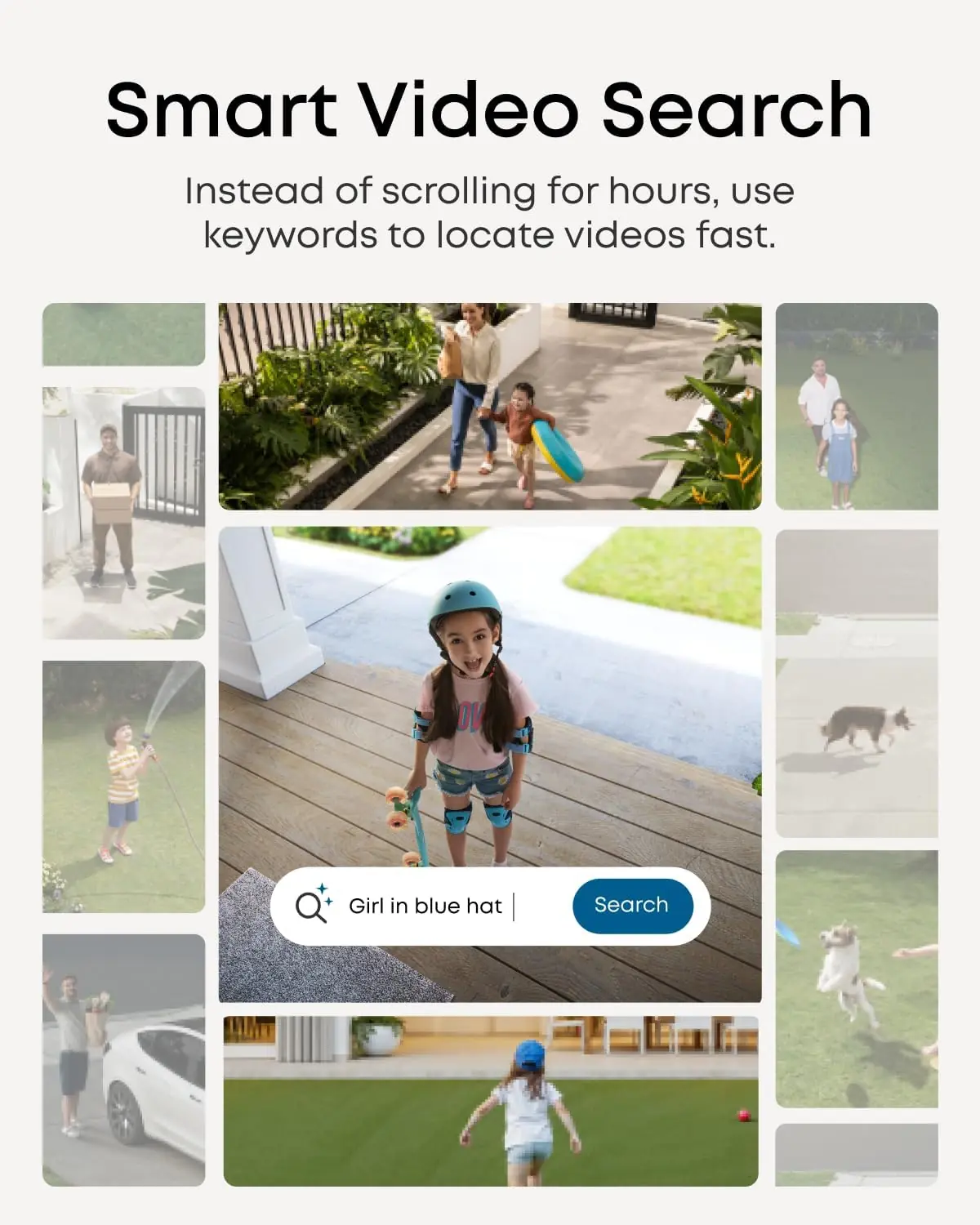
The smart video search feature, which lets you type keywords to find events, is less accurate than advertised. I searched for “delivery” and got results that included a car pulling into the driveway and a dog walking past the garage. Relevant results were interspersed with false positives about 30 percent of the time. The NVR’s graphical user interface through the HDMI output is also sluggish. Scrolling through the menu with the included USB mouse introduced a half-second delay that got annoying during extended use. These are not deal-breakers, but they do affect the daily experience.
eufy claims the bullet-PTZ cameras can track subjects up to 164 feet away. In clear daylight, I confirmed tracking at 150 feet on a straight line, but accuracy dropped at angles past 45 degrees from the camera. The company also says the local AI agent handles all analysis without cloud processing. I verified this by disconnecting the internet entirely; the system continued recording, detecting motion, and sending push notifications over the local network. The final claim about Group Tracking adjusting zoom to keep all subjects in frame held up during a test with two people walking together, but it struggled when three people moved in different directions simultaneously.
You can read more eufy 4K NVR system review honest opinion from verified buyers on Amazon.
| Specification | Detail |
|---|---|
| Video Resolution | 4K (upper wide-angle), 2K (lower PTZ) |
| Frame Rate | 15fps (4K), 20fps (2K) |
| Storage | 8TB pre-installed, upgradeable to 16TB |
| Channels | 8 (expandable to 16 with PoE switch) |
| Connectivity | Wired PoE (802.3af) |
| Night Vision Range | 65 feet (IR, spotlight, streetlight modes) |
| PTZ Range | 360 horizontal pan, 90 tilt |
| Weather Rating | IP65 |
| Dimensions (each cam) | 13.5 x 7.13 x 17.42 inches |
| Included Cables | 4 x 59ft Ethernet, 1 x 3.3ft Ethernet, 1 x HDMI |
For a deeper comparison of wired versus wireless security systems, read our home security installation guide.
The box includes the NVR, eight cameras, four 59-foot Ethernet cables, mounting brackets, screws, a USB mouse, an HDMI cable, and a power adapter. You will need to supply your own PoE switch if you are connecting more than eight cameras or if your cable runs exceed 100 feet. I allocated about six hours for mounting all cameras, running cables through the attic, and plugging everything in. The NVR automatically discovered all eight cameras within two minutes of powering on. The eufy app scan was equally fast. The user manual is adequate but skips important details like recommended cable routing and weatherproofing the Ethernet connections at the camera end.
For a complete breakdown, here is my eufy S4 Max PoE NVR review verdict in one place.
| Product | Price | Key Differentiator | Best Use Case |
|---|---|---|---|
| eufy S4 Max 8-Cam Kit | $2199.99 | Triple-lens PTZ, no subscription, local AI | Large homes with complex property layouts |
| Reolink RLK16-800B8 | $1799.99 | 16-channel NVR, 8 fixed 4K cameras, open API | Users who want maximum camera coverage at lower cost |
| Hikvision DS-7608NI | $2400 (with 8 cameras) | Enterprise-grade reliability, extensive VMS software | Small businesses or advanced users needing deep customization |
You own a home with multiple blind spots that require PTZ coverage. The ability to have each camera function as both a fixed wide-angle viewer and a tracked zoom unit eliminates the need to buy separate PTZ cameras costing $300 each. If you want local recording with no cloud fees and a unified ecosystem across camera, doorbell, and sensors, this system is the easiest path.
You are comfortable configuring an open system like Reolink or Hikvision. The Reolink RLK16-800B8 costs $400 less and gives you more channels out of the box. If you need the highest possible night vision performance or third-party integrations like Blue Iris or Synology Surveillance Station, the eufy ecosystem will not accommodate that flexibility. For renters or apartment dwellers, a battery-powered system from Arlo or Ring makes more practical sense.
Our review of the Carvera Air CNC machine covers another high-end tool for the serious DIYer. Check it out if you are building out a workshop.
At the time of this review, the eufy 4K NVR security camera system S4 Max is priced at $2199.99. This is competitive for an eight-camera PoE system with an 8TB hard drive and AI tracking capabilities. The Reolink equivalent costs $400 less but lacks the dual-lens PTZ design and local AI processing. Hikvision models with similar storage start at $2400 but do not include PTZ cameras at that price point.
Price verified at time of publication. Check for current availability and deals.
eufy backs the S4 Max system with a 36-month warranty from the date of purchase. This covers hardware defects but does not cover installation damage, cable failures, or issues caused by incompatible PoE switches. In my experience with eufy support on previous products, email responses arrive within 24 hours and phone support is available Monday through Friday. The eufy app includes an in-app support chat that connects to a knowledge base, though live chat agents are not always available during off-hours. For the price, a three-year warranty is standard in this category but not exceptional. For comparison, Reolink offers a two-year warranty on their NVR kits.
After four weeks of daily use, the eufy 4K NVR security camera system S4 Max review confirms that this is a capable, subscription-free system that delivers reliable tracking and high-quality 4K video. The AI agent works well enough to reduce false alerts significantly compared to dumb motion detection. The main trade-offs are the demanding wired installation, inconsistent facial recognition, and the absence of third-party integration support.
This system is worth buying for homeowners who are serious about property surveillance and want to avoid monthly fees. The combination of dual-lens cameras, cross-cam tracking, and 8TB local storage makes it the most complete consumer-grade PoE system I have tested. If you are willing to invest the time in setup and accept a few software quirks, this will serve you well for years.
The eufy S4 Max is not perfect, but it is the first consumer system I have used where the phrase “set it and forget it” genuinely applies after the initial configuration. If you have questions about your own experience with this system, drop a comment below. For the latest pricing, check the eufy S4 Max NVR on Amazon.
Yes, for homeowners who need continuous recording and PTZ coverage without subscriptions. Over three years, you save roughly $500 compared to a comparable Ring or Arlo subscription system. The dual-lens cameras and 8TB storage justify the premium over the Reolink RLK16-800B8, which costs $400 less but lacks PTZ and local AI.
The eufy system wins on AI tracking, PTZ integration, and local facial recognition. The Reolink system wins on total channel count out of the box (16 vs. 8 expandable) and third-party software compatibility. For pure property threat tracking, the eufy S4 Max is more advanced. For maximum camera coverage at lower cost, the Reolink is the better value.
Plan for a full weekend if you are routing cables through an attic or crawl space. The eufy app and NVR GUI are straightforward once power is connected. Beginners who are comfortable with basic hand tools and Ethernet termination can complete the installation, but it is not a plug-and-play system. Professional installation adds $300 to $600 and is recommended for anyone uncomfortable working in tight attic spaces.
You will need a PoE switch if you plan to connect more than eight cameras or if cable runs exceed 100 feet. The included cables are 59 feet long, so longer runs require your own CAT6 Ethernet cable and weatherproof connectors. If you want to add wireless cameras or a video doorbell, you need the eufy Wi-Fi Module (model T8709), which is sold separately. You can find the eufy S4 Max NVR and accessories on Amazon.
The system includes a 36-month warranty covering hardware defects. eufy support responds to email within 24 hours and offers phone support during business hours. The in-app chat connects to a knowledge base but does not guarantee live agent availability. For the premium price, a three-year warranty is standard but not exceptional in this category.
Based on our research, purchasing from the authorized Amazon listing gives you the best combination of price, return policy, and product authenticity. eufy’s official website also sells the system directly but offers the same warranty. Third-party retailers on eBay or Walmart may charge different prices, but factory warranty validity varies by seller.
No. The eufy S4 Max NVR does not support ONVIF, RTSP, or other open standards natively. This means you cannot connect the cameras to Blue Iris, Synology Surveillance Station, or other third-party NVR software. If you need that flexibility, consider a Reolink or Hikvision system instead.
Yes, but only if you purchase the eufy Wi-Fi Module (T8709) and install it in the NVR. The module adds a wireless receiver that can pair with eufyCam, SoloCam, and eufy Video Doorbell models. Once paired, those wireless devices use the NVR for 24/7 recording and smart video search, which they cannot do on their own.
Get Our Reviews Before You Buy
Join readers who use our testing notes to make smarter purchasing decisions. No sponsored rankings. No filler. Just honest reviews and practical guides, delivered when it matters.