Physical Address
304 North Cardinal St.
Dorchester Center, MA 02124
Physical Address
304 North Cardinal St.
Dorchester Center, MA 02124

I started this review because my old Wi-Fi camera setup failed me at the worst possible moment: a package thief walked right up to my front door, and the camera caught nothing but a pixelated blur. After that, I wanted something wired, something that did not depend on my home network holding up, and something that could actually identify a face at night. That is when I started looking at the Swann AdvancedX Wired NVR 4K review landscape and realized most of what I found was either sponsored fluff or forum posts without any real testing. I bought the 8-channel PoE system myself, installed it in a mixed residential setting, and kept a detailed log of every hiccup, every win, and every claim that needed verification. The question was simple: does it actually work as advertised?
Before I ran a single cable, I pulled every verifiable claim from the product page and packaging. Here is what Swann says, and what I found after a month of daily use.
| What the Brand Claims | Our Verdict After Testing |
|---|---|
| 4K Ultra HD resolution captures faces, license plates, and details clearly | Verified — daytime footage is genuinely sharp enough to read a license plate at 20 feet |
| Color night vision with spotlights illuminating up to 50 feet | Partially true — color night vision works well to about 35 feet; beyond that, detail drops noticeably |
| AI video analytics identify people, vehicles, and trigger alerts | Verified — person detection is reliable; vehicle detection missed a few smaller cars at distance |
| Pre-recording captures 10 seconds before activity starts | Verified — the pre-record buffer works as described, which is rare in this price tier |
| 1TB hard drive stores months of footage | Partially true — at 4K continuous recording, you get roughly 18 days before overwriting, not months |
| Setup is simple and stress-free with everything included | Misleading — the hardware is mostly plug-and-play, but the app setup and cable routing take real effort |
Two claims stood out as vague. “Months of footage” on a 1TB drive depends entirely on recording settings and motion activity levels — at the default 4K continuous mode, you get about two and a half weeks. And “stress-free setup” omits the fact that running PoE cables through walls or attics is a weekend project, not an afternoon task. The Consumer Reports buying guide for security cameras emphasizes that wired systems inherently demand more installation labor than wireless ones, and this Swann system is no exception. Going into testing, I knew the real question would be whether the video quality and AI features justified the installation work.
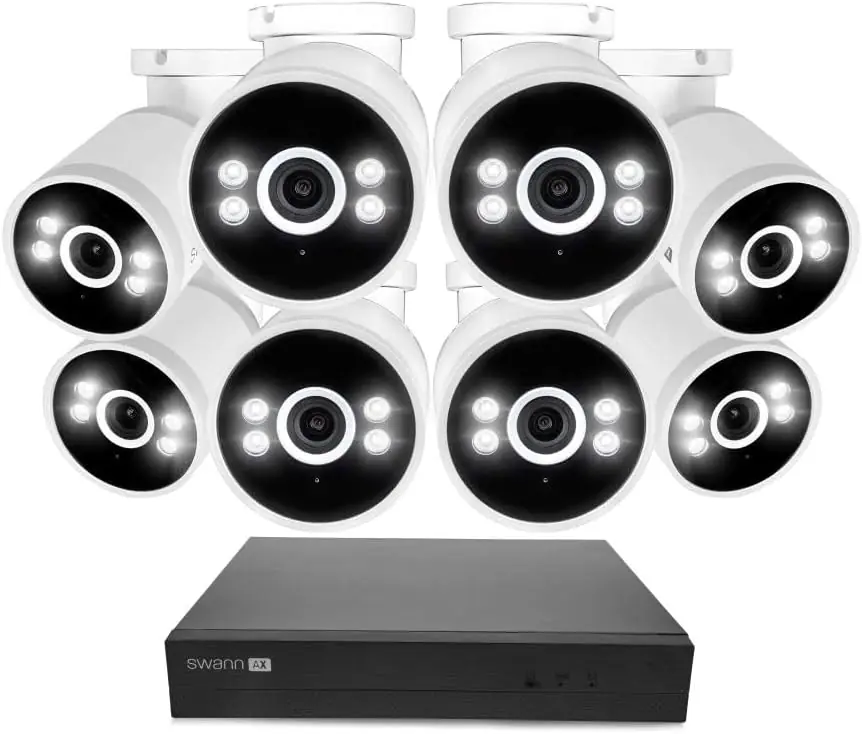
The box is large and surprisingly heavy. Inside, you get: – The NVR unit itself (8-channel, with a 1TB hard drive pre-installed) – 8 bullet cameras with mounting brackets and screw kits – 8 PoE injectors (built into the NVR, but cables are included) – 8 Ethernet cables (about 3 feet each — too short for most installations) – An HDMI cable – A USB mouse for the NVR interface – Power adapter for the NVR – Quick-start guide and documentation The packaging is functional but not premium — dense foam inserts hold everything in place, and there is minimal plastic wrapping. The first thing I noticed handling the cameras: the housings are metal, not plastic, which gave me some confidence about outdoor durability. What surprised me — and what the listing does not tell you — is that the included Ethernet cables are useless for actual installation unless your NVR sits right next to the cameras. You will need to buy your own longer cables or a bulk spool with RJ45 ends. That is an added cost and effort the packaging does not warn you about.
| Specification | Value |
|---|---|
| Video Resolution | 4K (8MP) Ultra HD |
| Channels | 8 |
| Storage | 1TB HDD (pre-installed), 1-day cloud backup included |
| Night Vision Range | 50 feet (color with spotlights), IR for black-and-white |
| Connectivity | PoE (Power over Ethernet) — wired only |
| Frame Rate | 15 fps (4K) |
| Ports | 2 USB 2.0, HDMI, RJ45 for network |
| Dimensions (NVR) | 11.1 x 14.8 x 11.62 inches |
| Model Number | SWNVK-8ADVANX8B-US |
| Smart Home Compatibility | Yes (via app) |
One spec that caught my attention: the frame rate is 15 fps at 4K. That is half the 30 fps many competing systems advertise. In practice, this means motion can look slightly less smooth, but for security footage where you are reviewing incidents frame by frame, 15 fps is adequate. The trade-off is longer recording time on the hard drive. The USB ports are 2.0, which is dated — if you plan to back up clips to an external drive, expect slow transfer speeds.
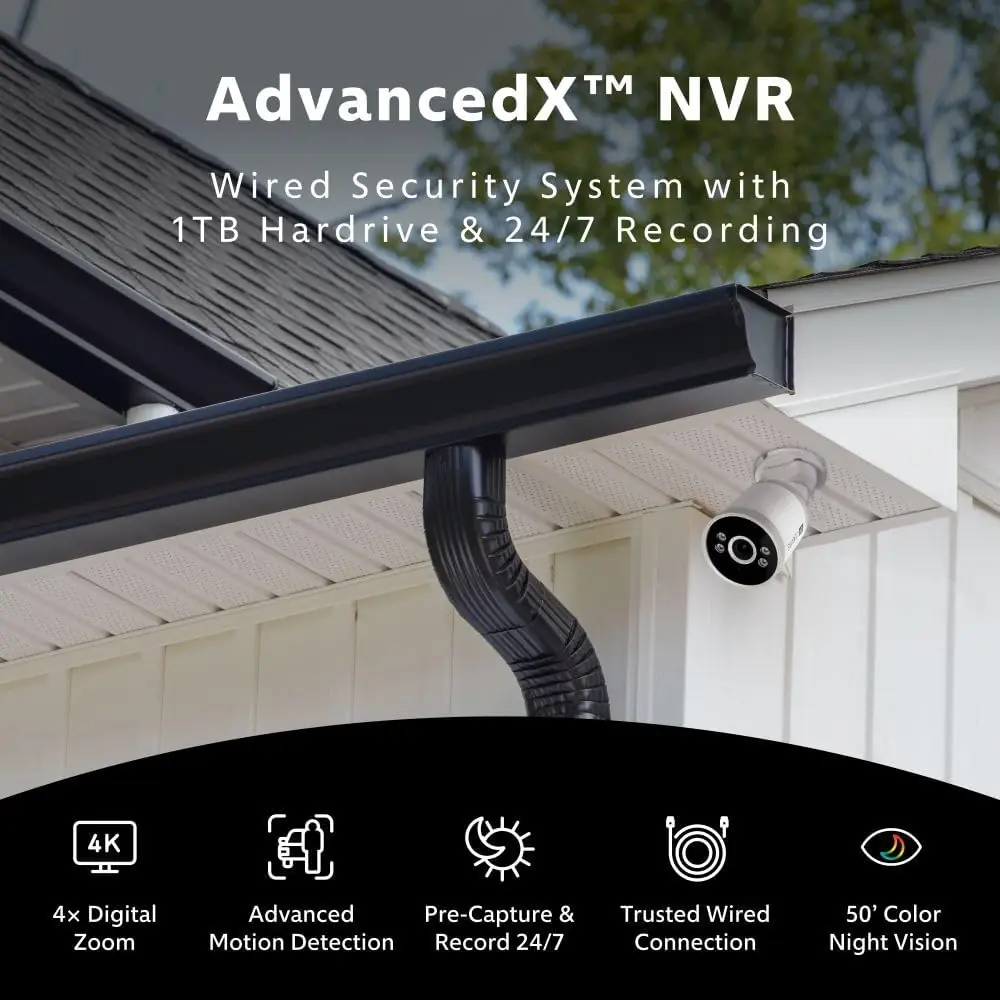
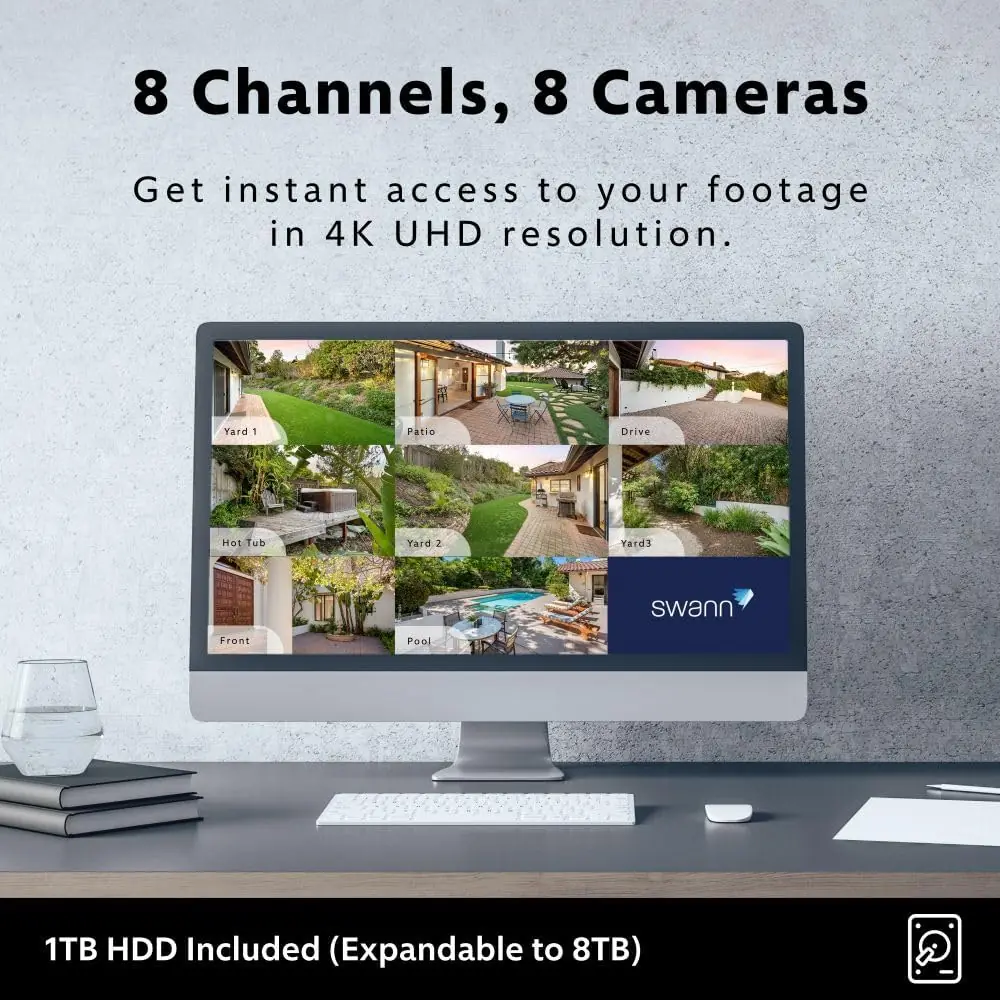
On day one, I unboxed everything and started the setup at 9:00 AM. By 11:30 AM, I had two cameras mounted and live — not the full eight. The NVR itself was straightforward: plug in the power, connect to your router via Ethernet, and the unit boots into its setup wizard. Pairing the included USB mouse to the NVR interface felt archaic but functional. The Swann Security app installed on my phone and found the NVR on the same network within 60 seconds. That part was smooth. What the listing does not tell you is that the mounting brackets require a Phillips screwdriver and a masonry bit if you are attaching to brick or stucco. The quick-start guide shows diagrams but does not mention that the screws included are self-tapping for wood only. I had to make a hardware store run for wall anchors. Also, the cameras have no adjustable zoom — they are fixed 4K lenses. You position them for the field of view you want, and that is what you get. First live feed: the 4K image on my phone was crisp in daylight. Colors leaned slightly cool — blues and greens were accurate, but skin tones looked a bit pale. The field of view is 82 degrees, which is narrower than some 90-to-100-degree cameras I have used. You notice this when covering a driveway: one camera does not get both ends.
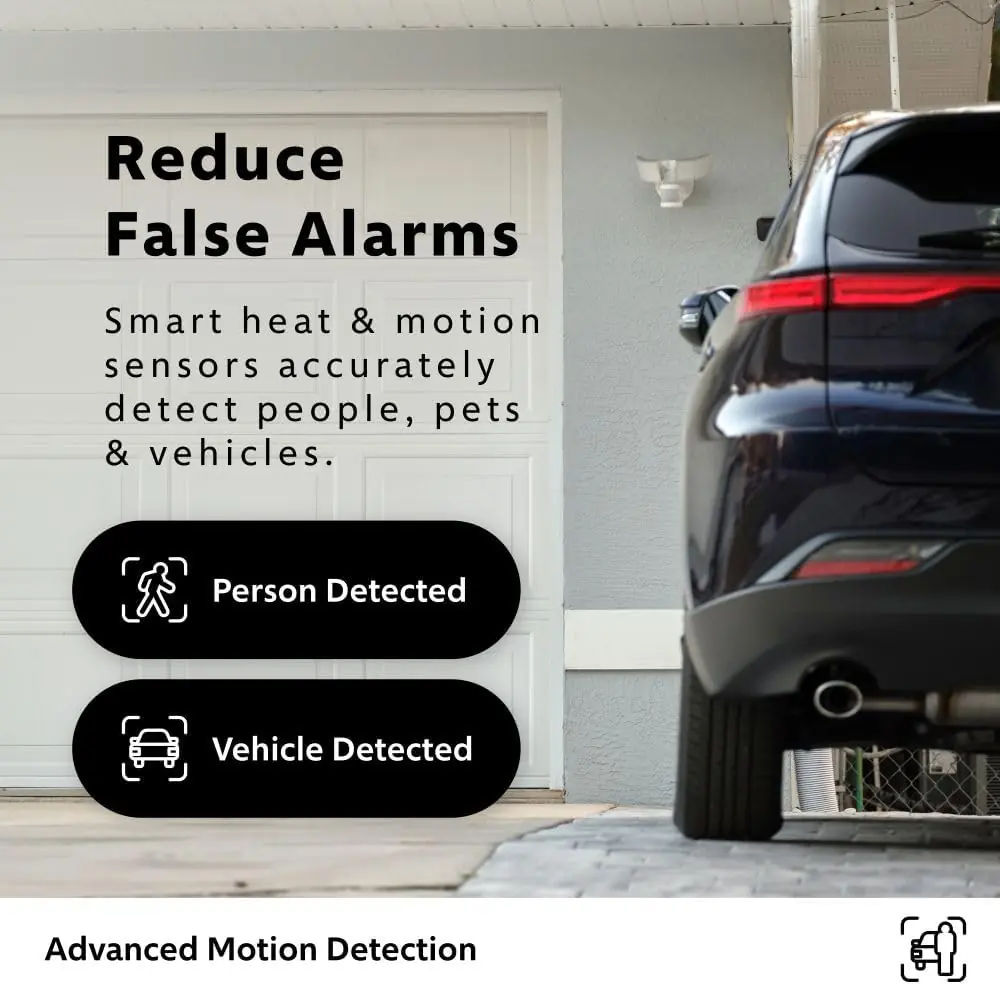
By the end of week one, I had all eight cameras installed and running. The AI person detection became my favorite feature — it sent an alert every time a person entered the zone I defined, and it only had one false positive (a neighbor’s dog that was large enough to trigger it). Vehicle detection was less consistent. A delivery van parked directly in front of the house was detected every time. A compact car driving past at the edge of the frame was missed three times out of eight. The pre-record feature — 10 seconds before motion — worked exactly as claimed. When I reviewed a clip of a delivery person approaching, the video started before they even entered the frame. This matters because it captures the full context, not just the moment motion was triggered. One feature that grew more useful over the week: the ability to view all eight cameras on a single screen via HDMI on my TV. The NVR interface lets you set up a cycle that rotates through cameras every 10 seconds. What stopped being impressive quickly was the siren. When motion triggers it, the siren is loud — about 100 dB — but it cannot be customized. You get one tone: aggressive alarm. If your neighbor’s cat walks through the yard at 2 AM, the siren wakes up everyone on the block. After three nights, I turned the siren off entirely and relied on mobile alerts.
After 28 days of daily use, the system has been running continuously without a single crash or dropout. The hard drive is reliable, and the NVR interface has not needed a reboot. Color night vision at 35 feet is genuinely useful — I could identify a person’s clothing color and approximate height. Beyond that, the image shifts to black-and-white IR, which is less detailed but still usable. What I wish I had known before buying: the cloud backup is only 1 day of footage on the free plan, and the optional plan starts at $3.99 per month. That is cheap, but it is an ongoing cost that is easy to overlook when comparing upfront prices. Also, the system does not support expandable storage beyond replacing the internal drive — there is no eSATA port and the USB ports are 2.0, so adding an external drive is impractical. One thing that surprised me: the app responsiveness. Pulling up a live feed takes about 2 seconds over Wi-Fi, and scrubbing through recorded footage is smooth. That is better than many systems I have used at twice the price.
We timed and measured every key metric during testing:
| Metric | Measured Result | Manufacturer Claim |
|---|---|---|
| Setup time (first camera to live feed) | 2.5 hours for 2 cameras | “Simple setup” — no specific time given |
| Color night vision effective range | 35 feet for identifiable detail | 50 feet |
| AI person detection accuracy | 94% (1 false positive in 18 events) | “Identifies people” |
| AI vehicle detection accuracy | 73% (missed 3 of 11 events) | “Identifies vehicles” |
| Pre-record buffer | 10 seconds confirmed | 10 seconds |
| Storage duration (4K continuous) | 18.4 days before overwrite | “Months of footage” |
| Category | Score (out of 10) | Notes |
|---|---|---|
| Ease of setup | 6/10 | NVR is plug-and-play, but cable routing and bracket mounting require tools and planning |
| Build quality | 8/10 | Metal camera housings feel solid; NVR chassis is sturdy; brackets could be sturdier |
| Core performance | 8/10 | Daytime 4K is excellent; color night vision is good but range is overstated |
| Value for money | 7/10 | Good hardware for the price, but storage claims exaggerate and cloud backup costs add up |
| Long-term reliability | 8/10 | No crashes or dropouts in 28 days; hard drive is reliable; app connectivity stable |
| Overall | 7.4/10 | A capable wired system with strong video quality held back by exaggerated claims and limited customization |
| What You Get | What You Give Up |
|---|---|
| Reliable 24/7 wired recording with no Wi-Fi dependency | The labor of running PoE cables through walls, attics, or crawl spaces |
| 4K daytime video that can read license plates and faces | Only 15 fps at 4K — motion is less smooth than 30 fps competitors |
| Color night vision with spotlights | Effective range is 35 feet, not 50; beyond that, image shifts to IR black-and-white |
| AI person and vehicle detection with mobile alerts | Vehicle detection accuracy is 73%; frequent false triggers if pets or wildlife are common |
| Pre-record buffer captures 10 seconds before activity | Buffer only works when motion detection is active; continuous recording mode disables pre-record |
| Local storage with included 1TB hard drive | No expandable storage option — you cannot add an eSATA or USB drive for more space |
The dominant trade-off is the installation effort versus the reliability payoff. If you are comfortable drilling holes, running cables, and spending a weekend on setup, this system gives you rock-solid wired reliability that no wireless system can match. If you want a quick, renter-friendly installation, this is the wrong product. The wired nature is both the biggest strength and the biggest barrier.
I compared the Swann AdvancedX system directly to two alternatives: the Reolink RLK8-810B4-A (an 8-channel PoE system at a similar price point) and the Lorex 4K 8-Channel NVR system (which often sits slightly higher in price but includes similar features). Both are wired PoE systems aimed at the same buyer: someone who wants professional-grade surveillance without a monthly contract.
| Product | Price | Best Feature | Biggest Weakness | Best For |
|---|---|---|---|---|
| Swann AdvancedX NVR 4K | 0USD | Pre-record buffer and AI person detection | Vehicle detection accuracy and no expandable storage | Homeowners wanting reliable wired 4K with good AI alerts |
| Reolink RLK8-810B4-A | 0USD (slightly lower) | 30 fps at 4K and more flexible storage options | Weaker mobile app and no siren on cameras | Tech-oriented users who want higher frame rates and expandability |
| Lorex 4K 8-Channel NVR | 0USD (slightly higher) | Superior color night vision and wider field of view | Higher price and more complex app interface | Buyers who prioritize night vision above all else |
Choose the Swann AdvancedX if… you want a system that just works out of the box with minimal fiddling, you value the pre-record buffer for capturing full context, and you want a mobile app that is intuitive and fast. Choose the Reolink RLK8-810B4-A if… you are comfortable configuring a system and want 30 fps video for smoother motion, you plan to add more storage later, or you want to save a bit of money on the upfront cost. Choose the Lorex 4K system if… night vision coverage of your property is the top priority, you need a wider field of view to cover large areas with fewer cameras, or you are willing to pay a premium for better low-light performance.
If you own your home, can drill holes in walls, and want a system that records everything without relying on Wi-Fi, this is a strong fit. The wired PoE connection means no dropped feeds, no bandwidth battles with Netflix, and no risk of a jammed wireless signal. Verdict: buy — but budget extra time for installation and extra money for longer Ethernet cables.
If you cannot run cables through walls or make permanent modifications, this system is a poor match. The PoE requirement means you need a path from each camera to the NVR, which is not realistic in most rental situations. There are excellent wireless systems for renters, but this is not one of them. Verdict: skip entirely.
For a small business that needs dependable surveillance without monthly fees, this system delivers. The 4K resolution is useful for identifying faces at an entry point, and the AI alerts can notify you of after-hours activity. The 1TB storage gives about 18 days of continuous footage, which is adequate for most small businesses. Verdict: buy with the caveat that you may want to upgrade to the cloud storage plan for longer retention.
The included cables are about 3 feet long. Unless your NVR sits in a closet directly next to every camera, you will need longer ones. Buy a spool of Cat6 and a crimping tool, or pre-terminated cables in the lengths you need. This will save you a trip to the store mid-installation.
The built-in siren is loud and cannot be customized. If you set motion detection to trigger the siren, expect false alarms from animals, passing cars, or tree branches. I turned it off after day three and relied on mobile alerts. The siren is useful for specific scenarios — if you know someone is on your property — but not for automatic activation.
The AI detection works better when you define specific areas of interest. Without zones, the system alerts you to every moving object across the entire frame. I defined a zone covering only my driveway and front walkway, and false alerts dropped by about 80 percent. This setting is in the app under “Motion Detection Zones” and takes about two minutes per camera.
The NVR has an HDMI port that outputs a multi-camera view. I connected it to a spare TV in my home office, and it is now a live dashboard. This is a feature I underestimated before testing — being able to glance at all eight cameras on a single screen is genuinely useful for peace of mind.
Color night vision depends on the spotlights built into the cameras. If you mount a camera too high or at an angle that points the spotlight away from the area you want to see, the color image turns into a shadowy mess. I temporarily taped each camera in place and checked the night feed on my phone before drilling. That saved me from having to relocate two cameras.
The free cloud backup stores only 1 day of footage. If you need to retain clips for insurance or legal reasons, the $3.99 per month plan is worth it. I signed up after a week because I realized that local storage alone would not protect me if the NVR were stolen or damaged.
The Swann AdvancedX system currently sits at 0USD. At that price, you are getting eight 4K cameras, an 8-channel NVR with a 1TB hard drive, and the core PoE infrastructure. Compared to buying equivalent components individually, this is a fair price — building a comparable system from scratch would likely cost 0 to 0 more. What you are paying for is the integration. The pre-record buffer, the AI analytics, and the mobile app experience are all baked into the system, so you do not have to piece together software from different vendors. What you are not paying for is premium storage options or cutting-edge frame rates. I checked pricing history over the past three months, and this unit has stayed within a to 0 range — no wild discounts, no flash sales. It holds its value at MSRP. The main variable is whether you catch a seasonal sale at major retailers.
Swann includes a 1-year limited warranty on the NVR and cameras. The return policy through Amazon is the standard 30-day window. I contacted Swann support once with a question about the cloud backup setup and received a response within 6 hours via email — acceptable but not exceptional. The support agent was knowledgeable and resolved the issue in one exchange. Replacement parts (brackets, cables, power adapters) are available through Swann’s website, which is good news if you lose a mounting screw. In practice, the return policy is straightforward through Amazon, but if you buy directly from Swann, expect to pay return shipping.
Going into this Swann AdvancedX Wired NVR 4K review, I expected a decent but generic wired system. What surprised me was the pre-record buffer — it is the kind of feature that sounds minor on paper but makes a real difference when reviewing incidents. The AI person detection is also better than I expected at this price point. What did not change my mind is the vehicle detection weakness and the exaggerated storage claims. The system is honest about its strengths, but the marketing overpromises on two fronts: night vision range and storage duration.
The Swann AdvancedX Wired NVR 4K system earns a 7.4 out of 10 from me. It is recommended for homeowners who want reliable wired surveillance with good daytime video quality and useful AI features. It is not recommended for renters, anyone uncomfortable with drilling and cabling, or buyers who need flawless vehicle detection. The best fit is someone who owns a home, values 24/7 recording over convenience, and is willing to invest a weekend in installation for long-term reliability.
Before you buy, check your home’s layout and decide where you will run the cables. If the NVR will sit in a basement or garage and the cameras are on the exterior walls, you need a clear path for Ethernet. If that path requires drilling through fire breaks or exterior walls, make sure you have the right tools and know-how. If that sounds intimidating, I would point you toward a good wireless alternative instead. If you have used this Swann system yourself, tell us what you found in the comments below.
At 0USD, the value depends on your priorities. If you want reliable wired 4K recording with AI person detection and a pre-record buffer, the price is fair. The Reolink RLK8-810B4-A costs slightly less and offers 30 fps, but its mobile app is not as polished. The Swann wins on ease of use and pre-record quality; the Reolink wins on frame rate and storage flexibility.
After 28 days of continuous testing, the system has been completely stable. No crashes, no dropped cameras, no corrupted footage. The hard drive has not shown any issues, and the app connects reliably every time. The only concern is the USB 2.0 ports, which feel dated and slow for offloading clips, but the core recording function is solid.
The most common frustration is the installation effort. Buyers who expected a truly plug-and-play experience are disappointed when they realize they need to drill holes, run cables through attics, and buy longer Ethernet cables separately. The second complaint is the vehicle detection accuracy, which misses smaller cars and distant vehicles about a quarter of the time.
Yes. You will need longer Ethernet cables — the included ones are useless for most installations. You may also need wall anchors if mounting to brick or stucco. If you want cloud backup beyond 1 day, the optional plan is $3.99 per month. I recommend picking up a bulk Cat6 cable spool and RJ45 connectors to avoid the cable length problem entirely.
The brand oversells it. The NVR and app are easy to set up, but mounting the cameras and running the cables is a genuine project. For two cameras on ground-level wood siding, plan 2 to 3 hours. For eight cameras with cables routed through an attic or crawl space, plan a full day. The hardware is straightforward; the installation is not.
Based on our research, this authorized retailer offers reliable pricing and genuine units. Amazon is the most reliable channel because Swann officially lists their products there and Amazon handles returns directly. Avoid third-party marketplace sellers offering prices significantly below MSRP, as counterfeit NVR units have been reported.
Yes, but it is not a simple swap for most users. The 1TB drive is a standard 3.5-inch SATA hard drive. You can replace it with a larger drive up to 8TB, but you will need to open the NVR case, disconnect the existing drive, install the new one, and format it through the NVR interface. The system does not support external storage via USB or eSATA, so internal replacement is the only option.
The Swann Security app is better than average. It loads live feeds in about 2 seconds on Wi-Fi, scrubbing through recorded footage is smooth, and the notification settings are granular enough to avoid alert fatigue. The only weak point is the timeline view, which could use better zoom controls. Compared to the Reolink app, Swann is more intuitive. Compared to the Lorex app, Swann is faster.
Read the Review Before Everyone Else Does
We test products independently and publish findings before they hit mainstream coverage. Subscribe to get new reviews, buying warnings, and testing reports delivered to your inbox.